Introduction:
Here I will explain how to create dynamic Ajax pie chart in asp.net with database using c#, vb.net or create pie chart in asp.net with database example in c#, vb.net.
First design table one table countrydetails in your database like as
shown below

Once we create table we need to enter some dummy data for our application purpose.
To implement Ajax pie chart with database first we need to add AjaxControlToolkit to your bin folder and design your aspx page like this:

C# Code
Here I will explain how to create dynamic Ajax pie chart in asp.net with database using c#, vb.net or create pie chart in asp.net with database example in c#, vb.net.
Once we create table we need to enter some dummy data for our application purpose.
To implement Ajax pie chart with database first we need to add AjaxControlToolkit to your bin folder and design your aspx page like this:
C# Code
In code
behind add the following namespaces
using System;
using System.Data;
using System.Data.SqlClient;
|
After
adding namespaces and write the following code in page load
protected void Page_Load(object
sender, EventArgs e)
{
DataTable dt = new DataTable();
using (SqlConnection con = new
SqlConnection("Data
Source=SureshDasari;Integrated Security=true;Initial Catalog=MySampleDB"))
{
con.Open();
SqlCommand cmd = new SqlCommand("select name,total=value from countrydetails order
by total desc", con);
SqlDataAdapter da = new SqlDataAdapter(cmd);
da.Fill(dt);
con.Close();
}
foreach(DataRow dr in
dt.Rows)
{
countrychart.PieChartValues.Add(new
AjaxControlToolkit.PieChartValue
{
Category = dr["name"].ToString(),
Data = Convert.ToDecimal(dr["total"]),
});
}
}
|
VB.NET Code
Imports System.Data
Imports System.Data.SqlClient
Partial Class VBCode
Inherits System.Web.UI.Page
Protected Sub Page_Load(sender As
Object, e As EventArgs) Handles
Me.Load
Dim dt As New DataTable()
Using con As New SqlConnection("Data
Source=SureshDasari;Integrated Security=true;Initial Catalog=MySampleDB")
con.Open()
Dim cmd As New SqlCommand("select
name,total=value from countrydetails order by total desc", con)
Dim da As New SqlDataAdapter(cmd)
da.Fill(dt)
con.Close()
End Using
For Each dr As DataRow In
dt.Rows
countrychart.PieChartValues.Add(New
AjaxControlToolkit.PieChartValue() With { _
.Category = dr("name").ToString(),
_
.Data = Convert.ToDecimal(dr("total")) _
})
Next
End Sub
End Class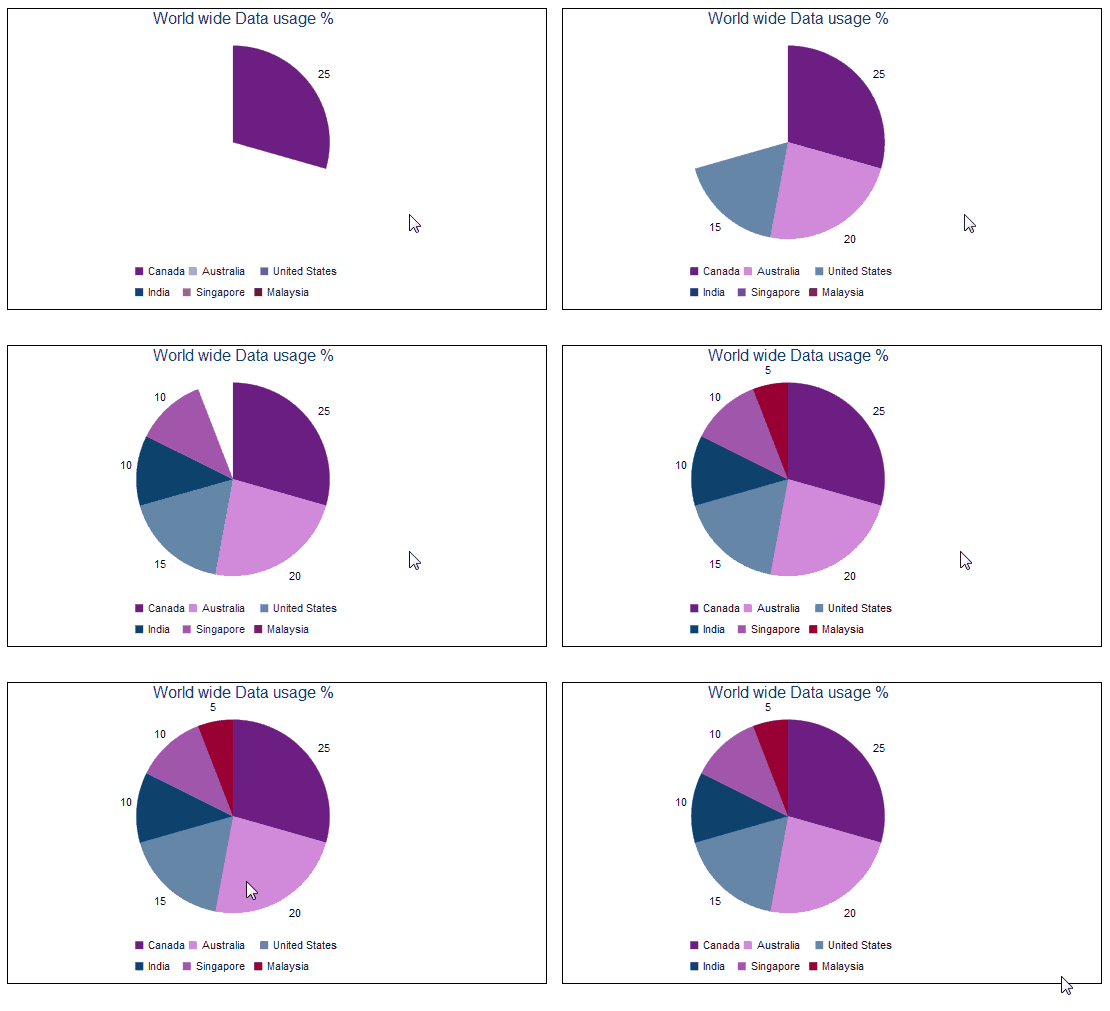.gif) |
After All Coding Its Look Like This |

No comments:
Post a Comment